How We Cleared VirusTotal False Positives for Our Domain

One morning, our domain appeared on VirusTotal with detections from nine security vendors. This is the story of how we investigated the issue, reached out to the vendors, and ultimately got the false positives cleared.
A story of the day our domain was flagged by over 9 security vendors on VirusTotal and how we contacted the vendors to get the false positives removed.
How It Started
On 31st May 2026, we shared one of our blog posts in our community group. Shortly after, one of our community members reached out and mentioned that they were unable to open our website because Bitdefender was flagging the domain as malicious.
Our founder immediately looked into the issue and scanned the domain on VirusTotal. To our surprise, the domain had been flagged by more than 9 security vendors.
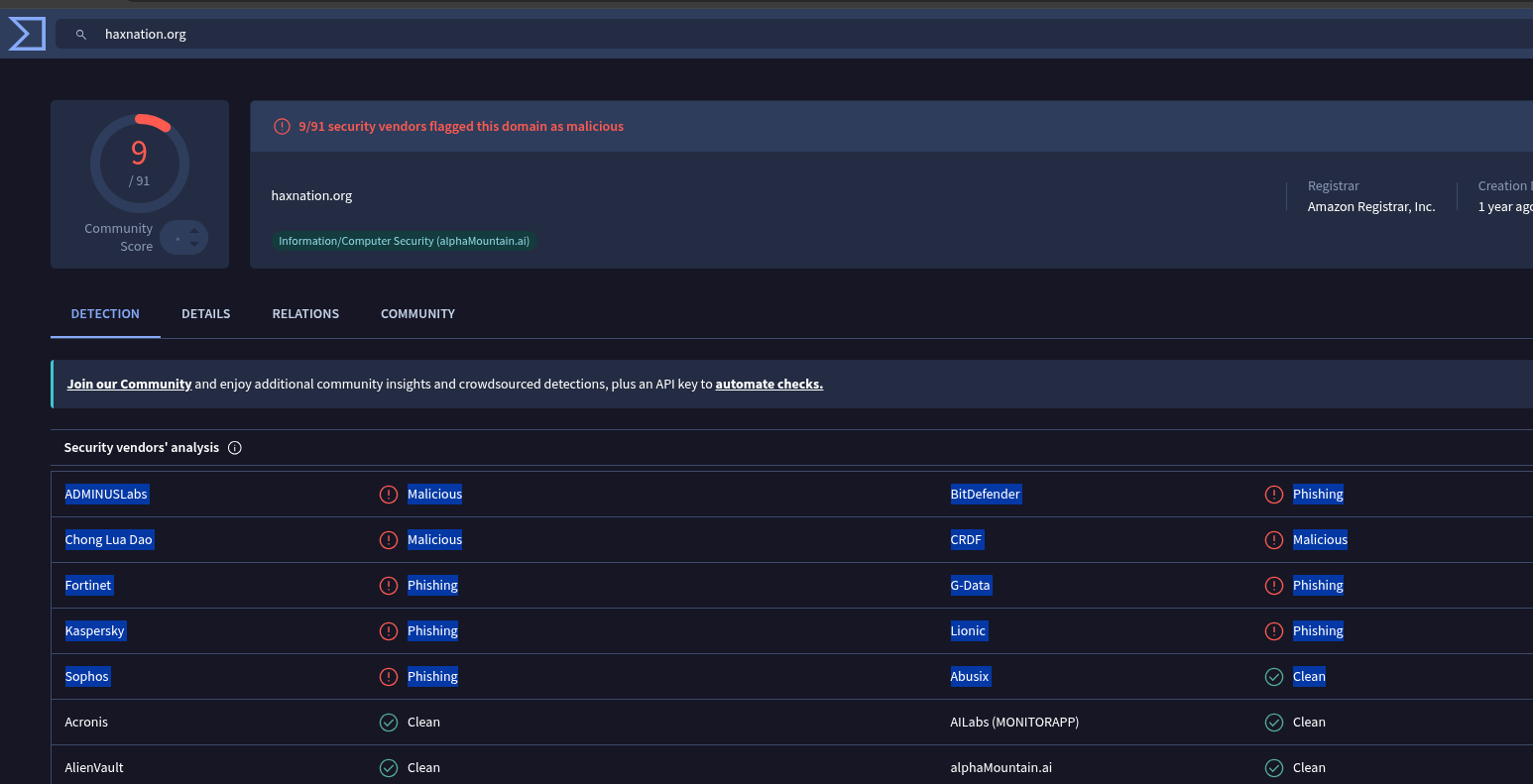
And that's when his hunt began.
Finding a Way to Clear the Detections
After some digging, Our founder discovered that there isn't a central "remove false positive" button on VirusTotal.
Instead, you need to contact each security vendor individually and submit a false positive report for review.
He then pinged me and asked me to continue from there and resolve the issue.
So I started searching for every vendor's submission portal, support page, email address, and any available process for reporting false positives.
To save others from going through the same research, I've listed all the resources we used below.
Security Vendors and False Positive Submission Resources
| Vendor | False Positive Submission Method |
|---|---|
| Kaspersky | https://opentip.kaspersky.com/ |
| Fortinet | https://www.fortiguard.com/webfilter |
| Bitdefender | https://www.bitdefender.com/consumer/support/answer/29358/ |
| CRDF Labs | https://threatcenter.crdf.fr/false_positive.html#false-positive-form |
| G DATA | https://www.gdata.de/help-en/general/GeneralInformation/submitFileAppURL/ |
| Lionic | https://www.lionic.com/supports/report-false-positive/ |
| Sophos | https://support.sophos.com/support/s/filesubmission?language=en_US |
| Adminus | Email: [email protected] |
| CyRadar | https://cyradar.com/reportfp/ |
Notes for Specific Vendors
Kaspersky
For Kaspersky, we used their Threat Intelligence portal:
https://opentip.kaspersky.com/
You need to enter your domain, fetch the results, and then submit a request for reanalysis. The process is explained in detail here:
https://support.kaspersky.com/kaspersky-for-windows/21.25/troubleshooting/other/1870
Adminus
For Adminus, there isn't a dedicated false positive submission portal.
Instead, send an email to:
Use the subject line:
False Positive Request for [domain-name]
and include details about the detection along with the domain you want reviewed.
Additional Resources (Aggregated from Public Sources – Not Personally Tested)
Note: The vendors and links below were aggregated from community resources (such as the False-Positive-Center GitHub repo, OneHourSiteFix guides, and other public references). These are not part of our personal experience and have not been tested by us. Links and processes can change over time, so always verify on the vendor's site and use a professional email. Include your VirusTotal link, exact detection name, and a clear explanation that it's a legitimate site.
Official contact list from VT if you can't find anything on vendors - https://docs.virustotal.com/docs/false-positive-contacts
Note that these lists from GitHub, VT and OneHourSiteFix are not updated, they can be used as a fallback if you can't find anything on the vendor.
Additional Tips (from aggregated sources):
- Use domain[.]com format in emails to avoid spam filters.
- For vendors that share engines/signatures (e.g., some smaller ones use Bitdefender, Avira, or ClamAV), submitting to the main engine may help multiple detections.
- Always start with a fresh VirusTotal URL scan to see the current list of flagging vendors.
- Be patient as some vendors respond in hours, others take days or weeks.
The Result
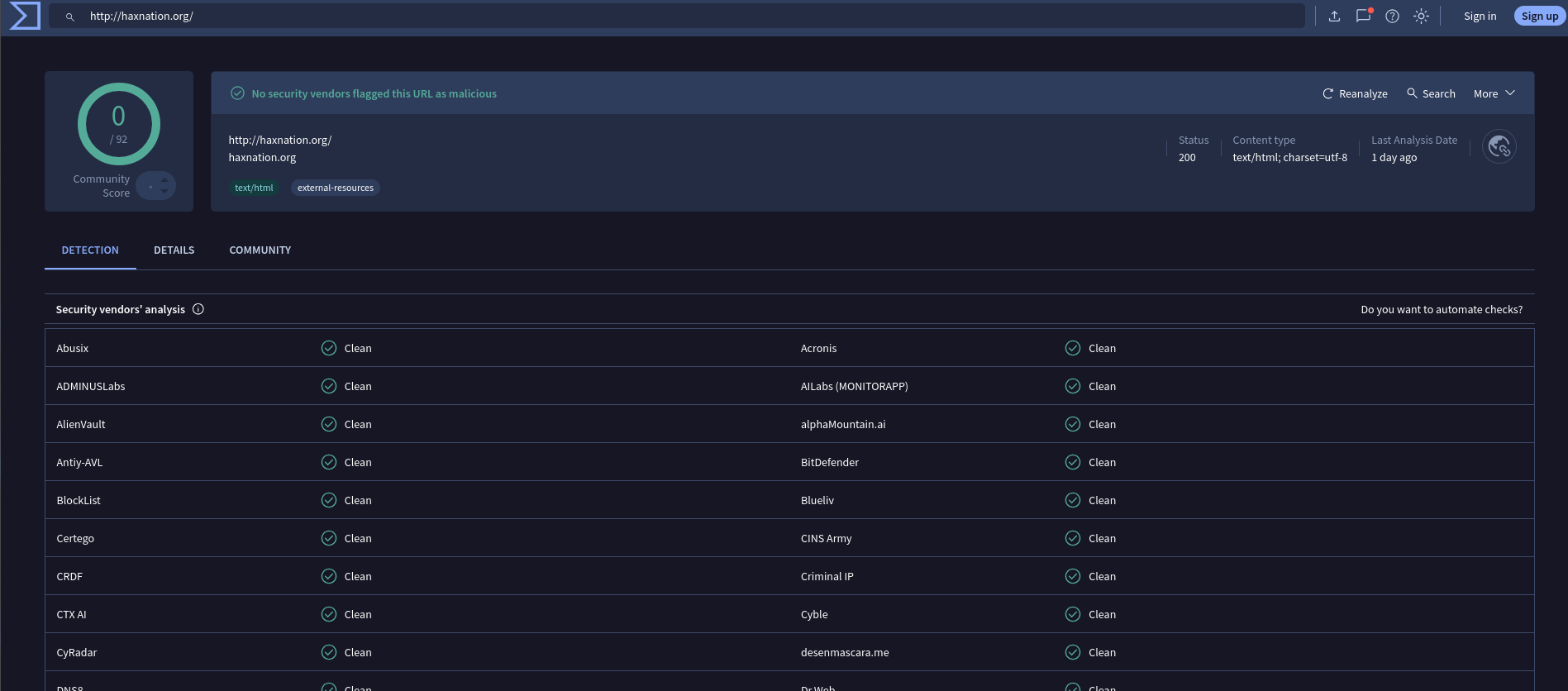
After submitting false positive reports to all the vendors that had flagged our domain, we waited for their review. Within few hours, the detections started disappearing one by one.
And within 48 hours, all our queries were solved.
By the end of the process, our domain had been cleaned and was no longer being flagged by the vendors that had initially marked it as malicious.
Final Thoughts
If your domain is being flagged on VirusTotal, don't panic.
In many cases, the detections may simply be false positives. The key is to identify which vendors are flagging your domain and then submit review requests directly to those vendors.
Hopefully, this expanded list of resources saves you even more time. And also thank you to all the teams on vendor's side who resolved our queries so fast!!